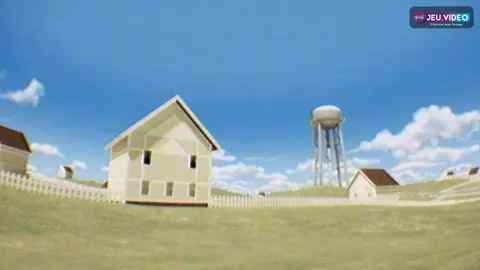
The Greenening guide: here are the key beginner steps to water the right areas, buy useful upgrades and progress without wasting resources.
Key points
- The Greenening launched on Steam on 2026-05-07, with Windows listed as its platform.
- Steam describes it as a short incremental journey of around two to three hours.
- Official gameplay includes water, ash, discoveries, upgrades and a space garden.
- The official press kit lists a 4.99 USD launch price and tags such as Casual, Idler, Clicker, Exploration and Nature.
The Greenening asks you to drop water on an ash-covered planet. You reveal plants, objects, resources and new abilities. The game mixes active play and idle progression. So the best rhythm is to rotate between exploration, upgrades and the garden. Verified details are available on the official Steam listing and the Erkberg Games press kit.

Key takeaways for this The Greenening guide
- Keep water for ash-covered borders.
- Improve water impact first and then recurring production.
- Switch screens often between exploration, upgrades, garden and collection.
- Do not force one plant if a dark area remains elsewhere.
- Prepare idle breaks with passive upgrades before leaving the screen.
The Greenening guide: understand the first ten minutes
Your goal is not to clean everything at once. Build a small, stable economy first. Each drop should reveal an area, create a resource or prepare an upgrade.
- Check the water meter before clicking.
- Water the border between green terrain and ash.
- Collect visible resources as soon as they appear.
- Open the upgrade tree when a purchase becomes available.
- Test each upgrade for a minute before buying another one.
This avoids a common incremental-game mistake: buying the cheapest bonus without checking the real bottleneck. Steam describes The Greenening as a short two-to-three-hour experience. Each loop should have a clear purpose. You can also browse our jeu.video articles, guides and tips and latest posts.
The Greenening guide: pick your first upgrades
The upgrade tree is the heart of progression. Read it as a priority map. Water, impact and production bonuses help everything else. Very specific bonuses work better later.

| Priority | Upgrade type | Value |
|---|---|---|
| 1 | Water and impact | Each action removes more ash. |
| 2 | Passive production | Progress continues during breaks. |
| 3 | Plants and flowers | Plant resources feed several branches. |
| 4 | Comfort and collection | Useful once the screen gets busy. |
Simple priority: if two purchases cost nearly the same, choose the one that raises recurring production. In a short game, an early passive bonus often beats a late big purchase.
Read the upgrade tree without getting lost
Later, the tree gets wider. Unknown icons and question marks appear. Do not try to open everything. Pick one locked node, then check the missing resource.

- Pick one locked node as your main goal.
- Spend only on useful prerequisites.
- Test each new power on the field.
- Save side branches for later.
The right habit is to follow the blocking resource. If a node needs hearts, support that resource. If it needs energy, look for rate or automation upgrades.
The Greenening guide: explore borders before the center
The best return often comes from the edge between restored ground and dark ash. The clean center feels safe, but it soon unlocks less. Your drops should expand usable space.

When you unlock wider watering, do not place it randomly. Use it where ash, plants, objects and resources overlap. That creates a stronger chain reaction.
Beginner tip: if an element looks drawn but inactive, water around it. The Greenening rewards discovery under the ash, not mechanical clicking.
Prepare a good idle break
The Greenening supports active and idle progression. Leaving at any moment is still inefficient. A good break starts with purchases that keep producing.

- The water meter has not stayed full for too long.
- Available production upgrades are bought.
- Rare resources are not sitting on an obvious purchase.
- The garden contains progression-friendly elements.
- You know which node to target when you return.
When you come back, do not click everything at once. First check which resource grew the most. That shows whether your economy is balanced.
Use the garden as an accelerator
The space garden is not only decorative. It supports progression, collection and unlock tracking. Keep it readable from the start.

Start simple. Group similar plants. Keep rare objects visible. Check the collection when a new category appears.

Recommended layout: one area for production plants, one for rare objects and one for visual experiments. You save time while keeping the relaxed mood.
Collection and objects: check before forcing progress
When progress slows, many players keep watering harder. That can work, but the collection often gives a better clue. A new object may point to the resource you should improve.

Use this screen as a dashboard. Empty slots show remaining discoveries. Unlocked objects show explored families. If one category looks weak, search for an area that visually matches it.
Mistakes to avoid in The Greenening
The first mistake is spending all water in the green center. It feels good, but it becomes inefficient once borders open. The second mistake is buying only the cheapest bonuses. A low price helps only if it fixes your bottleneck.
The third mistake is ignoring menus. The official description highlights upgrades, exploration, discoveries and the garden. If you stay on one screen, you miss part of the loop.
Remember this: every action should reveal an area, increase production or clarify your next goal. For more practical coverage, visit the jeu.video news section.